File Selection To Retrieval
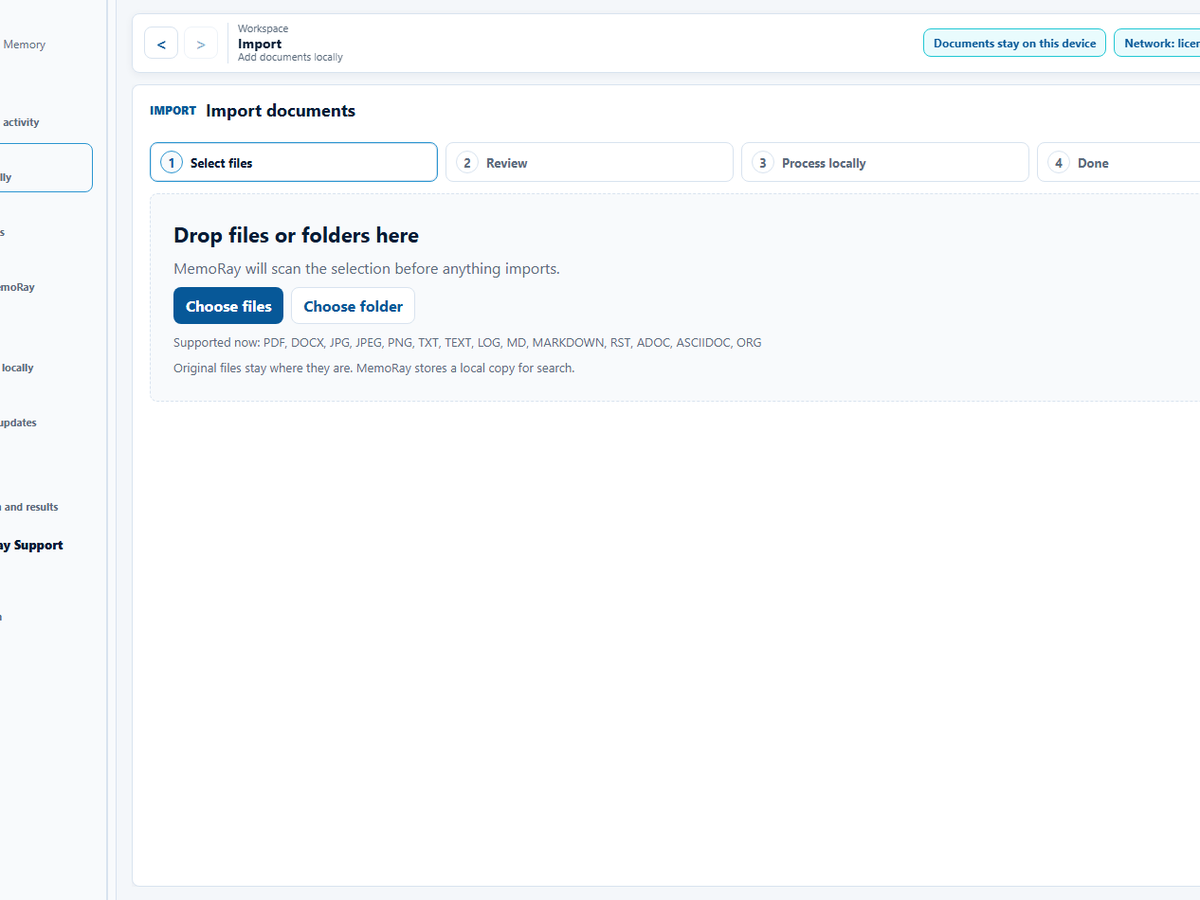
01 Select files
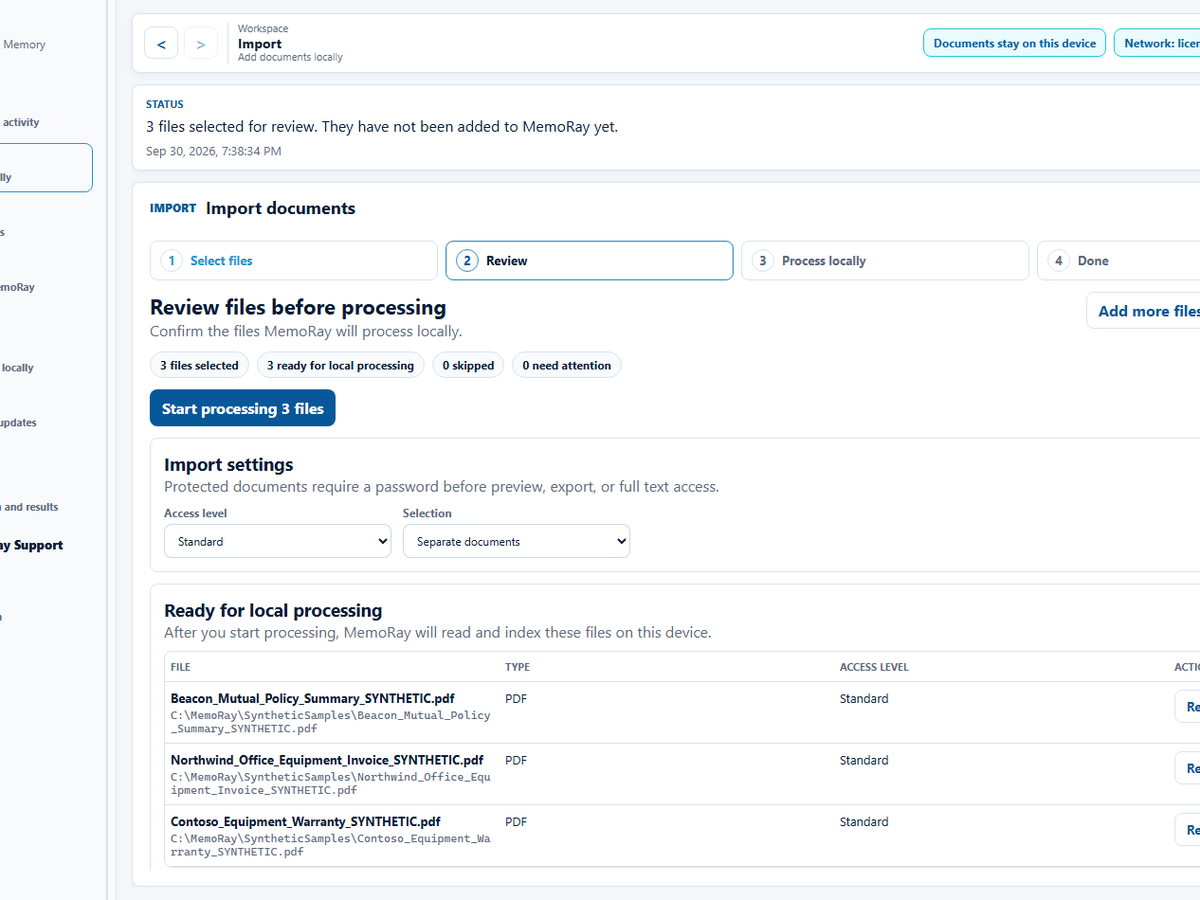
02 Review selected files
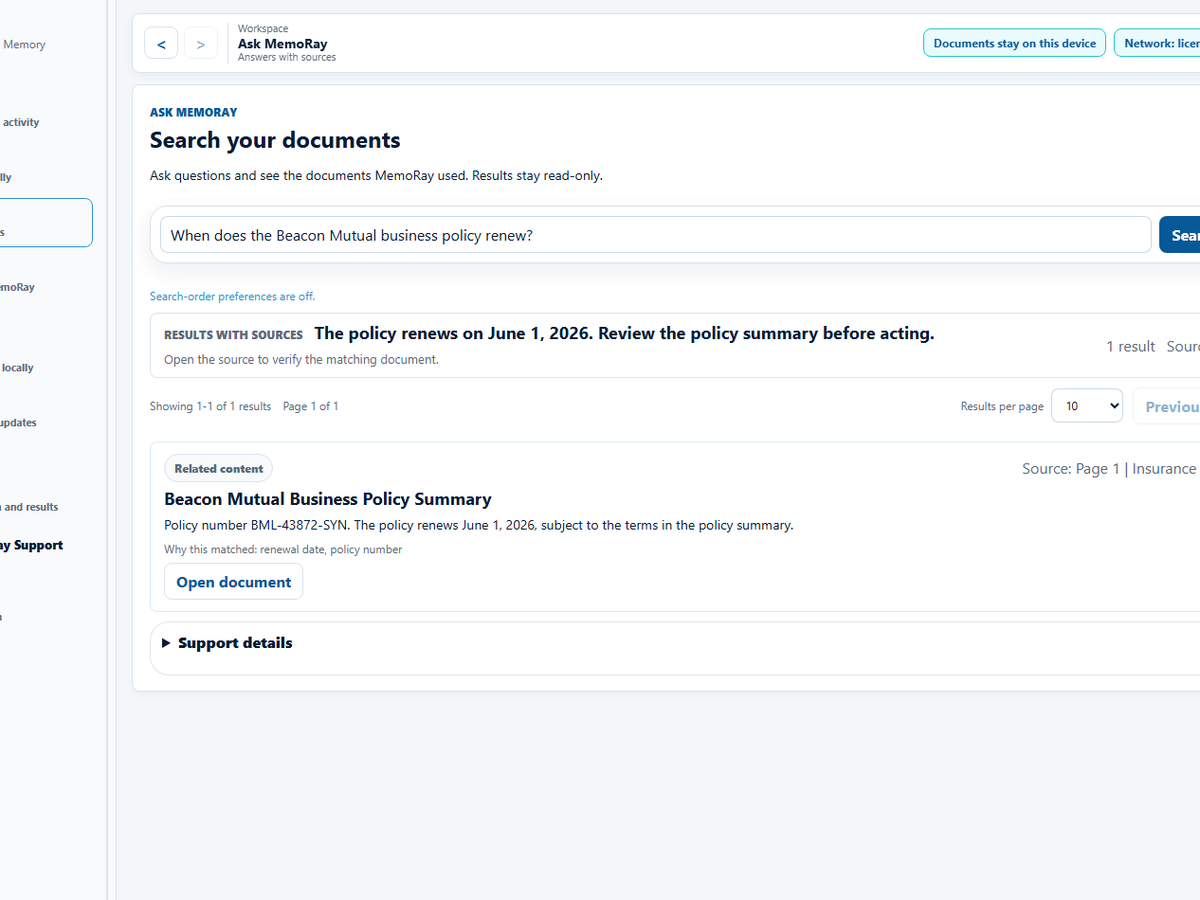
03 View sources
A transparent local workflow from file selection to retrieval.
MemoRay turns selected supported local files into searchable results with sources.
01
Select
Select supported files or folders, review staged documents, then import locally.
02
Process locally
Text extraction, making documents searchable, and duplicate checks run locally.
03
Search
Search across matching text and filters in imported documents.
04
Ask
Ask questions and get results grounded in imported files.
05
Protect
Use Access level controls for protected documents.
Current app workflow
See the import and source-review flow.
These reviewed 0.5.0 views use synthetic demonstration documents.
Choose documents or a folder to begin.
Nothing is imported yet. After selection, MemoRay shows the files for review before local processing.
Confirm what MemoRay will process.
Review filenames, file types, and access level before starting local processing.
Open the source behind an answer.
Open a result to verify it against the document.