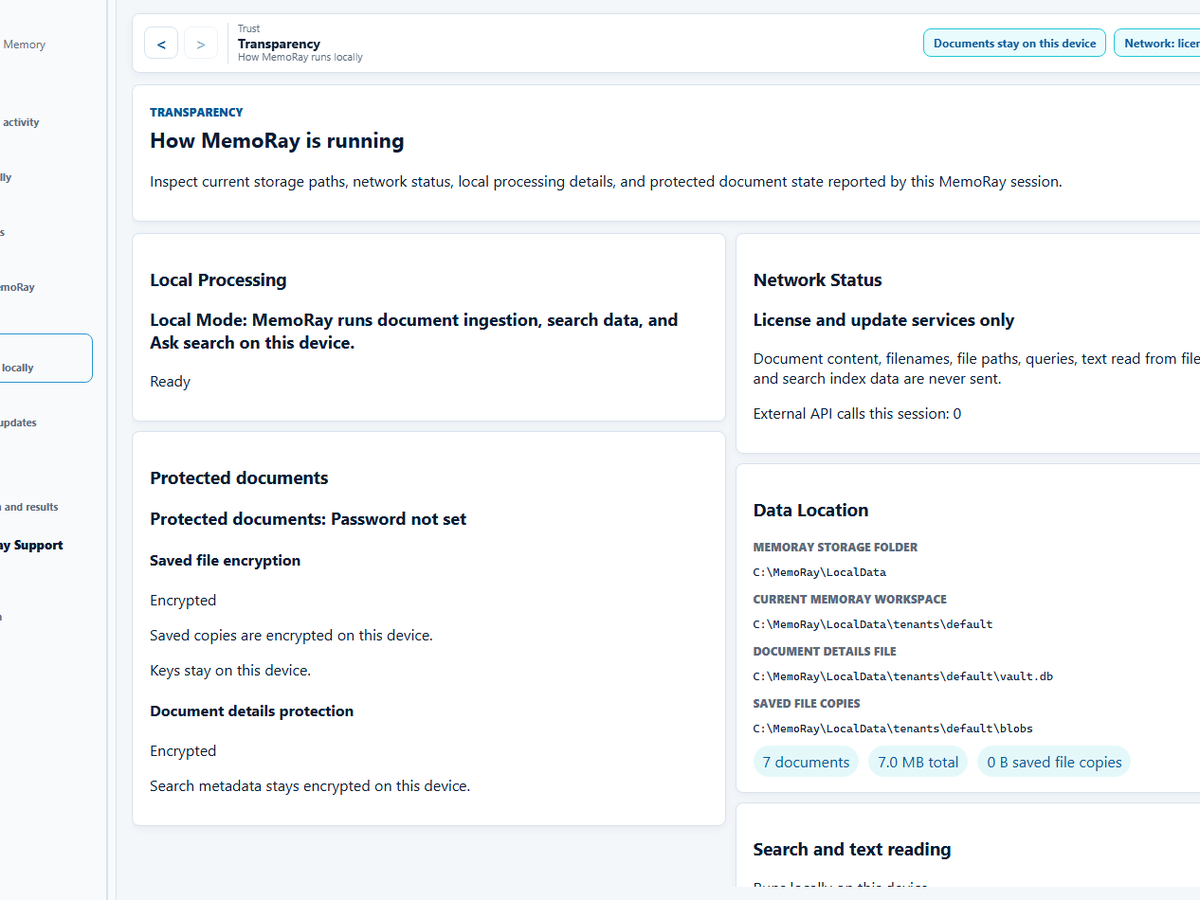
Core MemoRay document processing does not require file upload.
No document content is uploaded for the core local workflow.
MemoRay's Founder Access release is intentionally explicit about what runs locally, what is optional, and what is still being hardened. The goal is not vague privacy language - it is clear, inspectable product behavior.
No document content is uploaded for the core local workflow.
File import, text reading, making documents searchable, search, and results with sources operate locally for the core path.
MemoRay stores imported copies, document details, extracted text and search data locally.
Standard content is not protected by the Protected Documents password. Original files outside MemoRay and external backups remain separate.
For documents marked Protected, MemoRay encrypts the saved copy and retained derived content used for search and review, including extracted text, search data and sensitive history. Unlocking is required to search or view it; locked items hide identifying details.
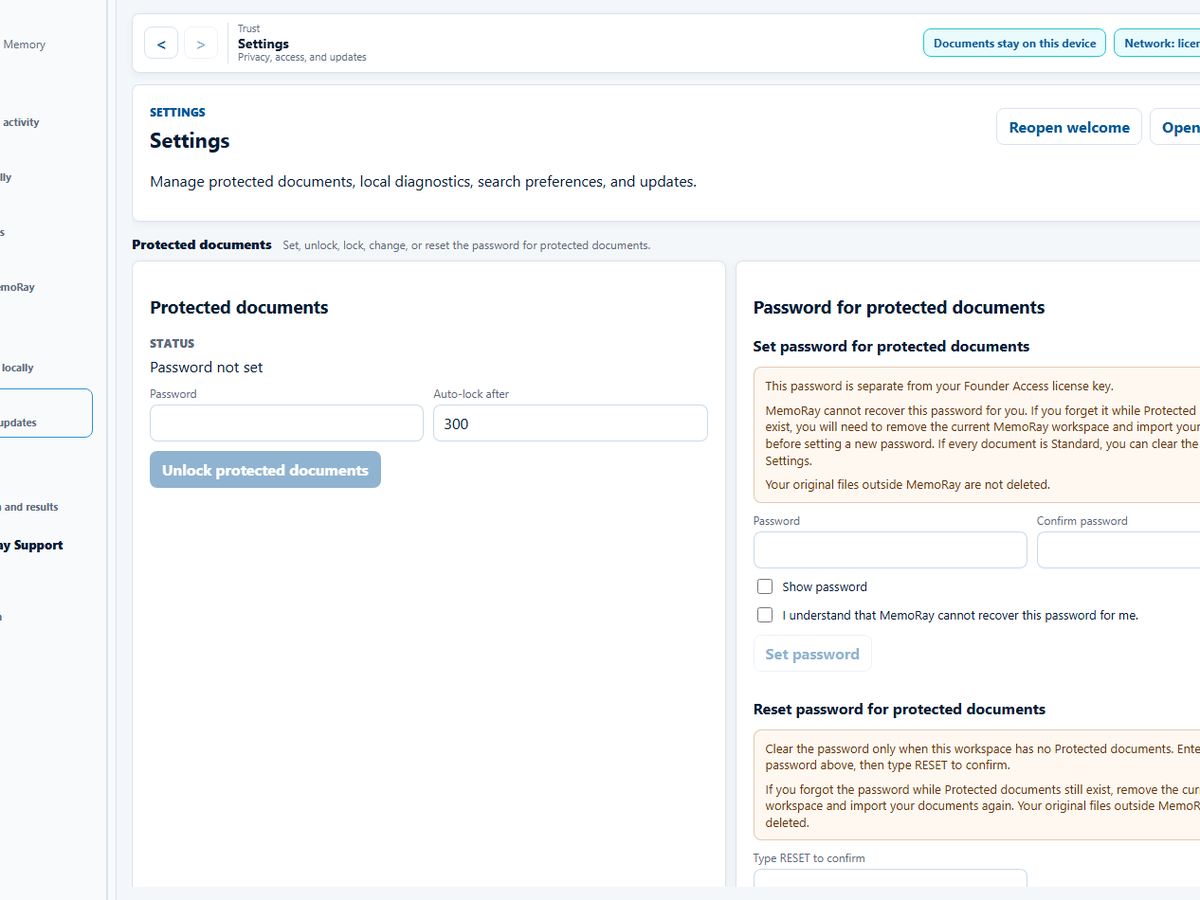
Protection does not defend an already-unlocked device against malware, an administrator or screen capture.
The Protected Documents password is local, separate from your Founder Access license key and cannot be recovered by MemoRay Support. Keep originals and your password. See Protected Documents boundaries and recovery guidance.
MemoRay processes imported documents, text reading, search, and Ask MemoRay locally on your Windows device. Network access is used for Founder Access license activation, license validation, app update checks, and support forms you choose to submit.
Document content is not sent to MemoRay licensing or update services.
If you submit a support form, the message and attachments you choose are sent to MemoRay Support. Review them first and remove private document content, passwords, and license keys.
This is separate from the network services used for Founder Access licensing, update checks, and support forms you choose to submit.